
Open Settings → General → About on iOS 15.2 or later. Read the component and label in Parts and Service History. This is a record of supported repairs, not a complete inspection of a used phone.
Genuine and Used
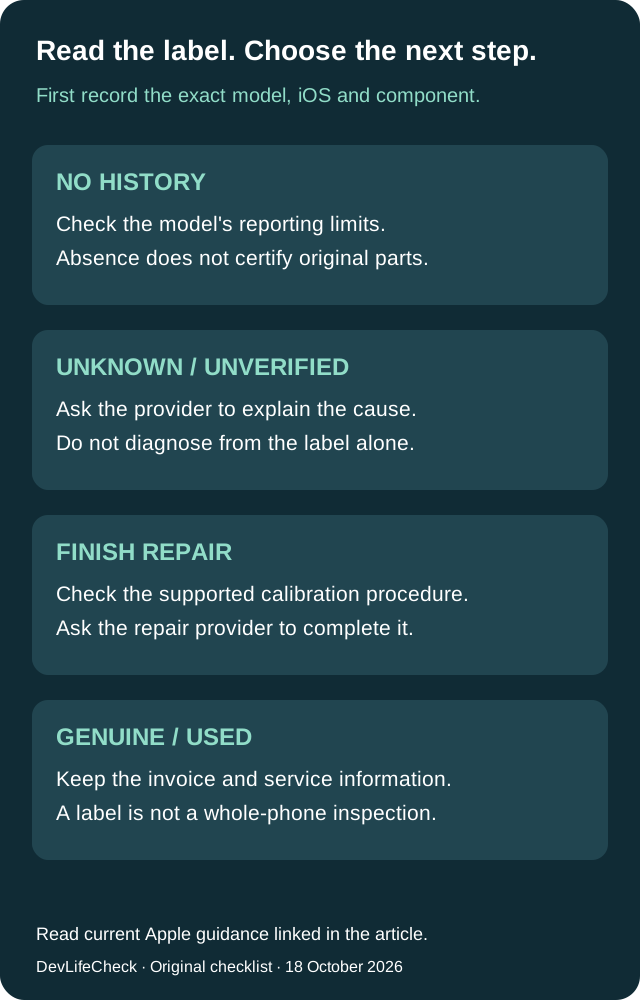
Genuine indicates Apple parts and processes; Used identifies a component previously installed in another iPhone. Keep the service paperwork and ask which component was changed. A label does not identify the repair shop.
Unknown is not a counterfeit verdict
Possible causes include a nongenuine, malfunctioning, modified or unlinked component. Ask the repairer to identify the cause instead of diagnosing it from this word alone.
Unverified is a different warning
This concerns a logic board previously used in another iPhone; features such as Apple Pay may be affected. Ask the provider to investigate rather than treating it as an ordinary Used label.
Missing history has limits
Apple lists battery history for XR/XS/XS Max and SE generations 2–3; battery/display for iPhone 11; and battery/display/logic board/front and rear cameras for iPhone 12 and later. Only the latest service to a component appears. An absent entry cannot certify every part's originality.
Finish Repair: check the exact supported procedure
Repair Assistant finishes calibration. It requires the latest iOS, Wi-Fi and more than 20% battery. Check Apple's exact model/component table before using Settings → General → About → Parts & Service History → Restart & Finish Repair. History visibility does not establish repair compatibility. If someone else performed the work, ask them to complete it.
Do not bypass a locked part
Activation Lock can prevent repair completion. Ask the point of service to resolve the problem; do not pay for a promised bypass. Unfinished biometric calibration can leave Face ID or Touch ID unavailable. Apple also lists a camera restriction for unfinished repairs on iPhone 18 Pro models, so avoid a blanket assurance that everything will work. Follow the current official instructions rather than a generic reset tutorial.
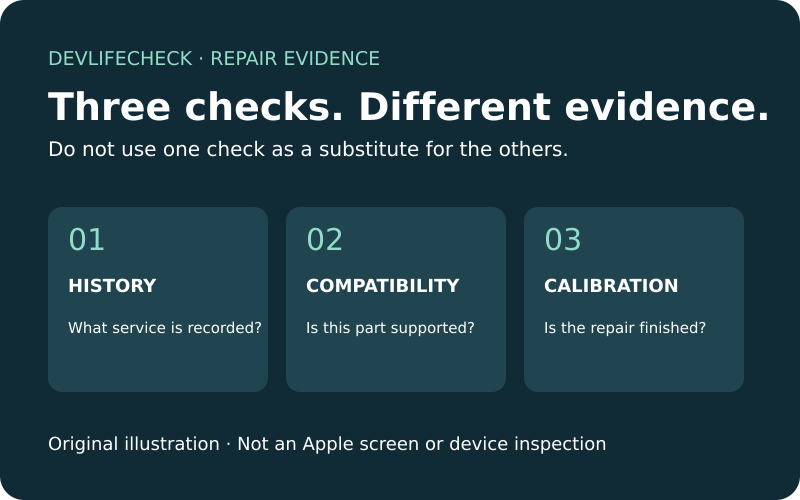
History, compatibility and calibration are separate
The history screen describes recorded service. Apple's used-parts table describes supported components. Repair Assistant describes completing calibration. A supported used component can still vary in condition because of prior use or modification. Apple warns about damage when removing adhesive-mounted batteries and recommends new batteries for those installations. A compatibility tick is not advice to transplant a battery yourself.
Copy these questions for the repair shop
Record your model, iOS version, component and exact message. Ask: Which repair was performed, and when? Does this label match the invoice? Is calibration complete, and is any feature restricted? If the message persists, what inspection or remedy will you provide? Keep screenshots private when they contain serial numbers or other identifying information. When buying, request the evidence before committing.
Related next steps
How this guide was produced
AI-assisted source research and editorial checks against the linked Apple US pages on October 18, 2026. Ten relevant full-page reviews were recorded in the research brief. No physical device testing, component authentication or warranty assurance is claimed.
Primary sources
Related guidance
Device support and safety information can change. Recheck the linked manufacturer and regulator evidence before making a purchase or safety decision.